Look inside


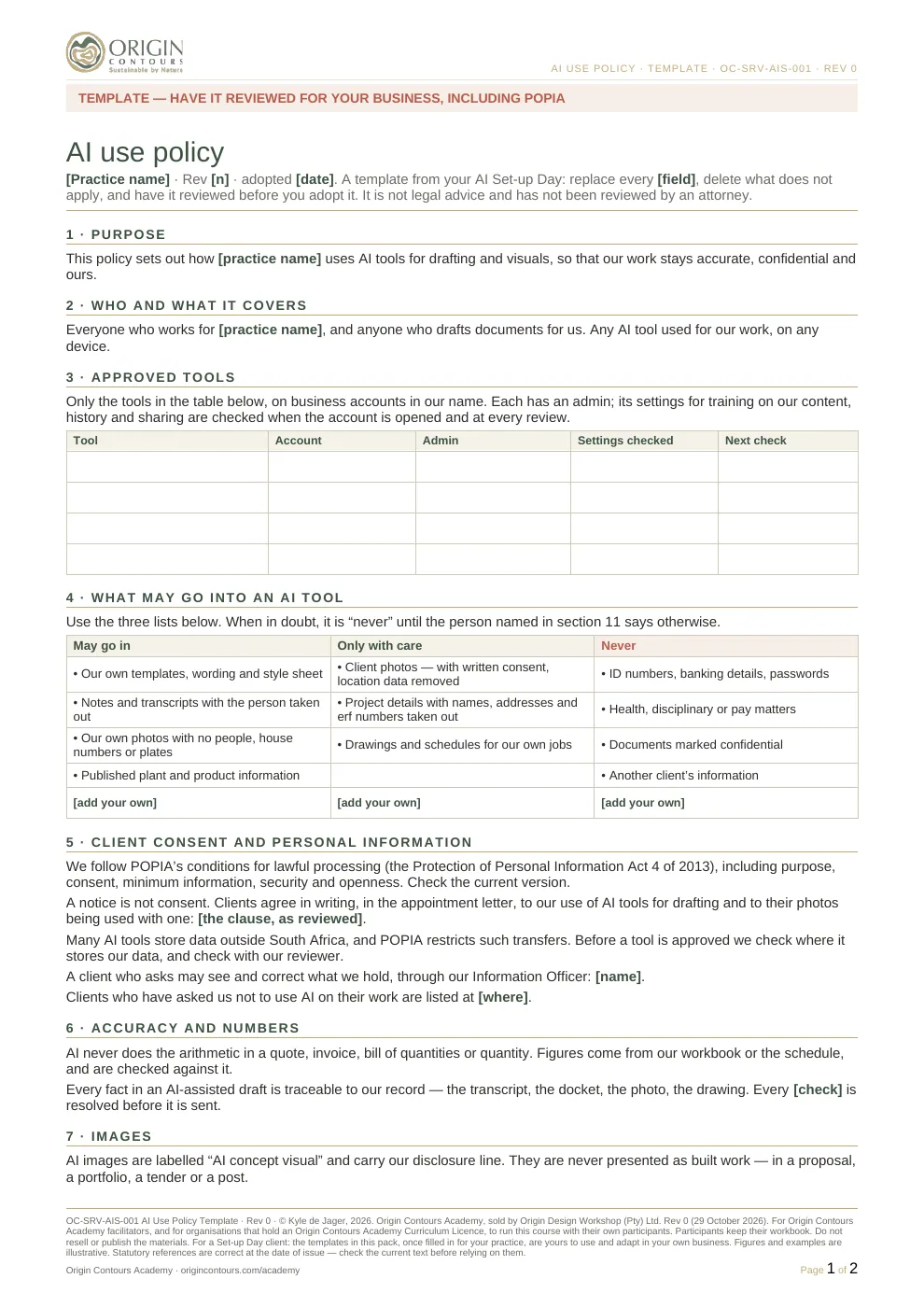
6 preview pages. Tap any picture to see it larger. Previews show the top of each page.
A day in your office setting up AI tools and workflows for your team.
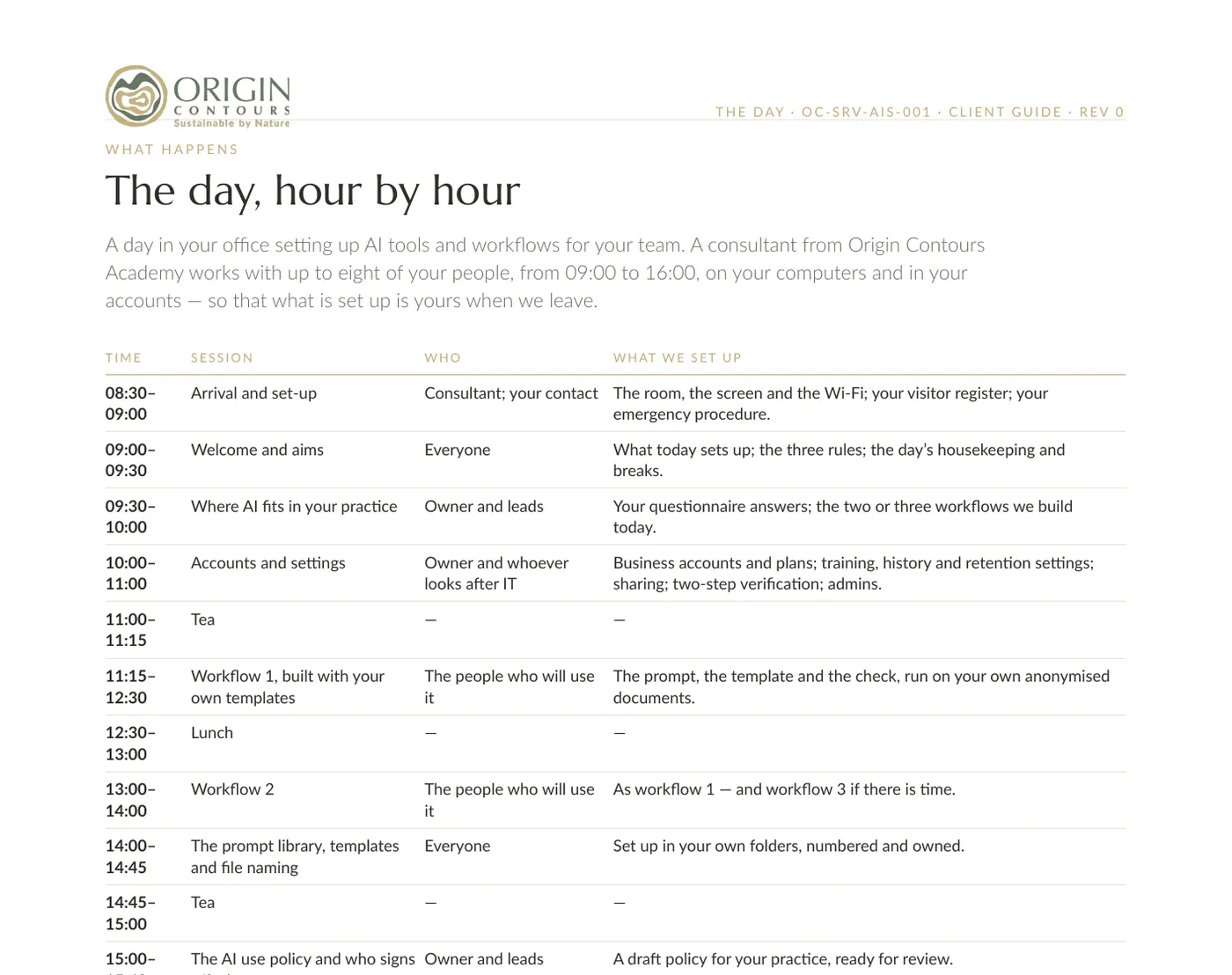
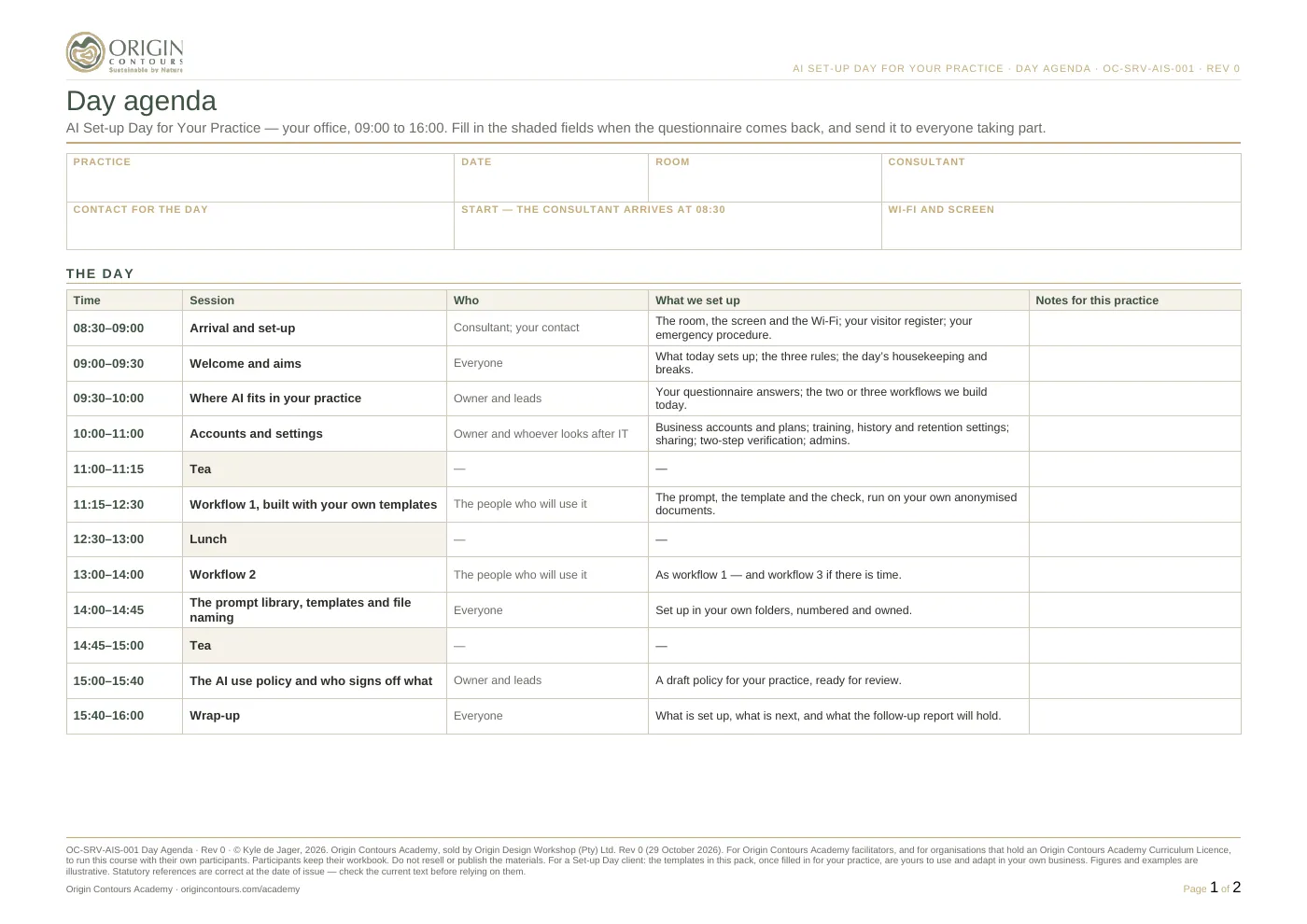
A working day in your own office. We start with how AI fits your practice, then set up business accounts with the right settings, build two or three workflows on your own templates — site diaries from voice notes, quote cover notes from the priced bill, client updates, concept visuals that keep the design — and put a shared prompt library and file rules into your folders. We finish with a draft AI use policy and who signs off what, and send a follow-up report of everything that was set up.
What you get
- Accounts: Business accounts in your practice’s name, with an admin for each, two-step verification on, and the settings checked — written down.
- Workflows: Two or three workflows built on your own templates, each with its prompt, its check and an owner.
- A prompt library: In your own company folder: numbered, owned and dated, with your style sheet and context block.
- File rules: Where AI work is saved, how it is named, and what is kept with it — agreed and set up in your folders.
- A draft policy: Your AI use policy, with who signs off what, ready to be reviewed — including for POPIA.
- A follow-up report: What was set up, the settings recorded, the open items with owners and dates, and the next review.
Bring
- The questionnaire — Returned at least five working days before the day, so we can prepare the workflows you choose.
- Accounts and access — The person who can approve accounts and subscriptions is there for the morning; whoever looks after your computers can give admin access when it is needed.
- Your own documents — Copies of a few real ones — a quote and its bill, a diary page or site report, a client email, a planting plan or concept — with client names, addresses and numbers taken out.
- The room — A room for up to eight people and the consultant, a screen everyone can see, power points, and guest Wi-Fi.
- The decisions — The owner or a decision-maker for the first session and the policy session; the rest of the day can run without them.
We provide
- A consultant for the day, 09:00 to 16:00
- The pre-visit questionnaire and the day agenda
- The set-up checklist, worked through with you
- Templates: the AI use policy, the prompt library structure, the style sheet and the workflow prompts
- The follow-up report
Questions
- Which tools will you set up?
- The ones that suit your practice, chosen from your questionnaire — often the assistant already inside your email and office suite. Tools change monthly, so we check the current tools and their terms a week before your day.
- Do we need to buy anything first?
- No. If a paid plan is the right choice, you decide on the day and open it in your own name.
- How many of us can take part?
- Up to eight people in the sessions. Others can join the wrap-up.
- Is our clients’ information safe?
- We build the workflows on anonymised copies, in your accounts, and we take nothing away. Setting the rules for the rest of the year is part of the day.
- Do we get a certificate?
- No. You get the set-up itself, the templates and the follow-up report.
How booking works
- Send an enquiryTell us what you need, where, and roughly when.
- We reply within two working daysWith dates, a short plan and a written quote.
- Pay online to confirmWe email a secure payment link (card, Instant EFT or Capitec Pay). The invoice comes straight after.
Who it is for
Landscape practices, design studios and contractors who want AI set up properly for their team — owners, designers, office staff and supervisors, up to eight in the sessions. No AI experience is needed; the owner or a decision-maker should be there for the accounts and policy sessions.
Sold by Origin Design Workshop (Pty) Ltd as part of Origin Contours Academy. Terms, licences and refunds.